PDF Editor
Edit PDFs with text, shapes, comments, and highlights - secure, simple, and intuitive.
Select PDF file

or drop PDF here
PDF editing should be effortless. Our PDF Editor lets you edit text, add images, shapes, highlights, and annotations. It's free, and you won't need to create an account or provide an email address to access the PDF Editor.
-
Drag and drop PDFs to process-it's easy.
-
Editor works in any web browser and on any operating system.
-
Edit PDFs quickly and without limits.
Edit Your PDFs Online-The Easy Way
No expensive software is required to edit PDFs. Try our tool-it's free, easy to use, and lets you edit PDFs exactly as you want.
Edit Your PDFs Your Way
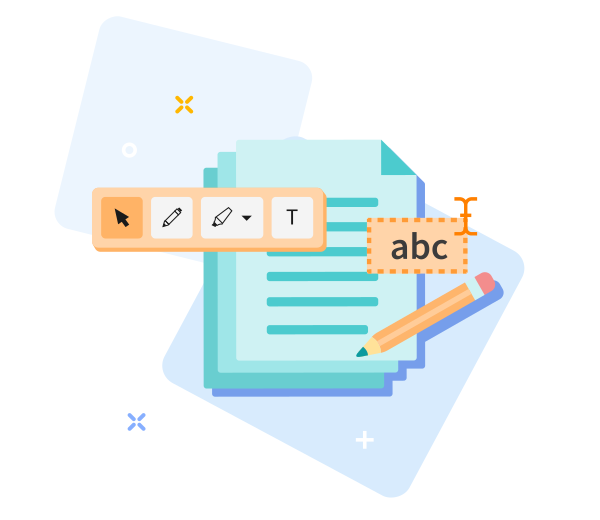
Elevate your PDFs with our versatile editing tools. Add text, images, shapes, or freehand drawings to tailor documents to your vision-edit with ease and precision.
How Does PDF Editor Work?
Simply upload a file and use our PDF editing tools to add text boxes and comments. You can also insert sticky notes, highlight, strikethrough, or underline content. Then download or share.
Save quickly, share your PDFs with ease.
Easily drag and drop your PDF into our tool, customize to your liking, and save to share instantly.

Edit PDF Online-Quick & Easy
A straightforward tool designed for ease of use. No manual required-simply drag and drop your PDF, tailor it as you like, and tap Edit PDF. Wait a moment while your file is prepared.
Quickly adjust settings if you're not satisfied.
Not happy with the result? Return to the previous screen with a single click to reselect options until you achieve the perfect result.
Edit PDF Files on the Move
Our tool runs on both desktop and mobile devices, including Android and iOS.
File Transfer Encryption
We prioritize top-tier security-TLS encryption protects your files, ensuring your edits stay protected.
Edit PDFs Reliably
A free, reliable PDF editor you can trust. Easily freehand draw shapes like circles and arrows or add annotations with our online tool. Plus, we maintain top security standards, including TLS encryption, to safeguard your files and data at all times.
Working in the Cloud
All edits happen in the cloud, so your device isn’t taxed-access from anywhere, anytime, on any device.
Frequently Asked Questions
Yes. This Edit PDF tool is free to use online. You can edit PDF files without registration, watermarks, or installing any software. Some advanced editing features may have usage limits.
You can add or modify text, insert images, draw annotations, and adjust basic elements directly in your browser. The tool is designed for quick and simple PDF edits.
Yes. All files are protected using secure HTTPS encryption during upload and editing. Uploaded PDFs are automatically deleted from our servers after a short period to ensure privacy and data security.

How to Edit a PDF Online for Free
Step-by-step guide to editing PDFs for free with our tool:
- Upload your PDF to get started.
- Customize text, images, and graphics as needed.
- Drag to reposition text and images.
- Download the edited PDF file.
Organize PDF
 Remove pages
Optimize PDF
Convert to PDF
Convert from PDF
Edit PDF
PDF security
© PDFSkill 2026 ® - Your PDF Editor

Edit PDF options
Elements
Use the viewer's navigation bar to insert elements into the document. Elements appear in the right-hand sidebar.
You can rename, select, or delete elements from the sidebar.
Remove all
You have unsaved changes

Uploading file(s)
%
UPLOADED
Please wait a moment!

Oh no! We couldn't process your files.
Damaged/Corrupted File
We can't process damaged or corrupted files. Check if your file is damaged by opening it with your PDF software. If you can't open it, it's probably damaged. Restore the file to health, then try again.
Retry Repair PDF
This task has been processed successfully.

 Download PDF

Not satisfied? Click here to adjust conversion options and files.